
You can significantly reduce your AWS bill — often by 30% to 40% — without touching your application’s performance, reliability, or uptime. The key is not cutting resources blindly. It is spending smarter on the ones that actually matter.
Most AWS cost problems are not caused by growth. They are caused by decisions made during early architecture or rapid scaling that were never revisited. Idle EC2 instances, overprovisioned databases, forgotten snapshots, and unchecked data transfer fees quietly compound every month until finance finally flags it.
The good news? Every one of these problems is fixable — and none of the fixes require you to compromise on what your system delivers.
What Is AWS Cost Optimization?
AWS cost optimization is the ongoing practice of matching your cloud resource usage to your actual workload requirements — eliminating waste, choosing the right pricing models, and continuously monitoring so inefficiencies don’t creep back in.
It is not a one-time audit. It is not about shutting down servers and hoping nothing breaks. Done correctly, it is a discipline that frees up real budget without your end users ever noticing a difference.
According to the AWS Well-Architected Framework, cost optimization sits on five pillars:
- Right-sizing — matching instance types and sizes to what your workloads actually need
- Elasticity — scaling resources up and down automatically based on real demand
- Pricing model selection — choosing between on-demand, Reserved Instances, Savings Plans, and Spot Instances based on your workload patterns
- Storage efficiency — moving data to the right storage tier based on how often it is accessed
- Continuous monitoring — reviewing usage, costs, and recommendations on a recurring basis
When all five work together, AWS stops being an unpredictable expense and starts behaving like a managed operational cost you can forecast and control.
Why AWS Cost Optimization Matters More in 2026
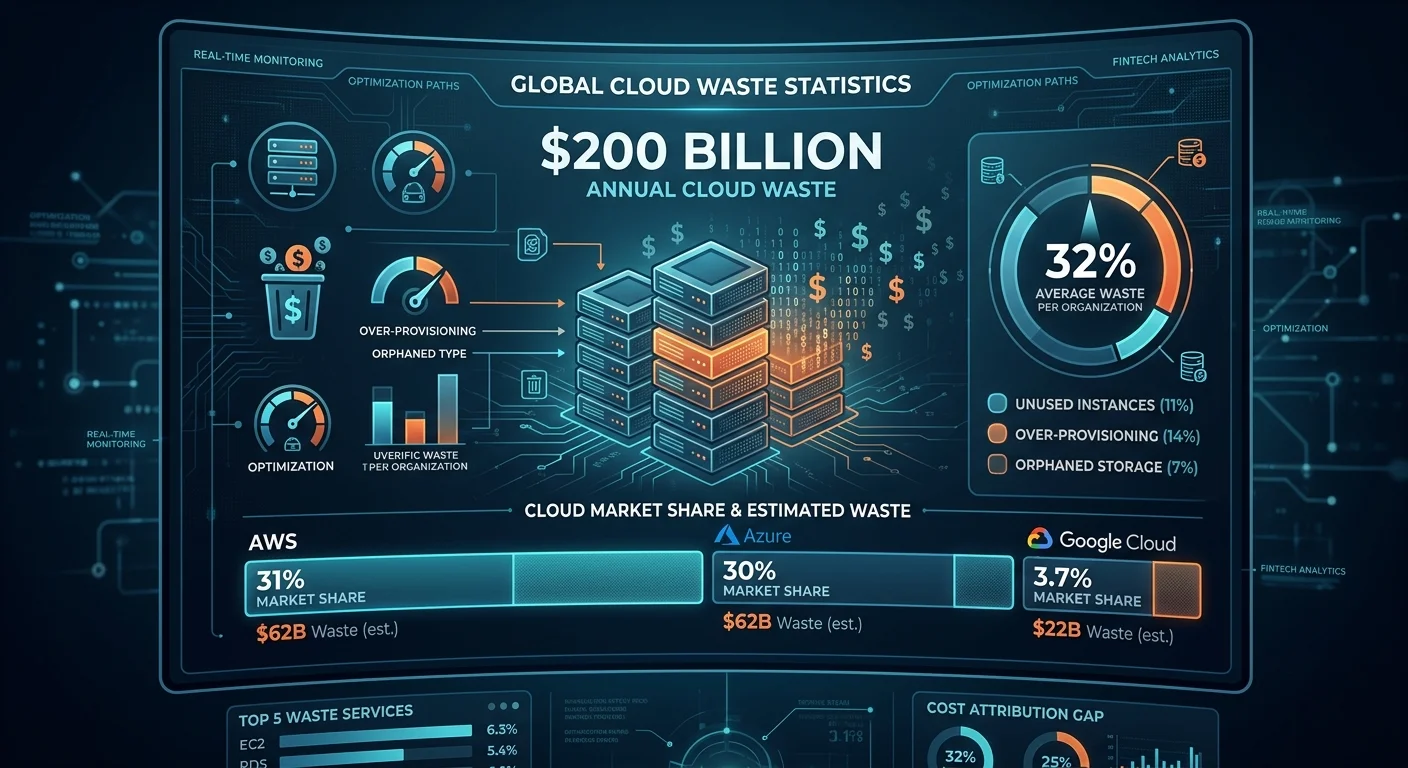
Here is a number worth sitting with: organizations waste an average of 32% of their AWS budget on unused resources, overprovisioned instances, and poor visibility. Globally, that adds up to over $200 billion in cloud waste every year.
For a company spending $50,000 per month on AWS, that means roughly $16,000 is going nowhere useful. Over a year, that is nearly $200,000 that could be funding new hires, new capabilities, or new infrastructure investments.
In 2026, the stakes are even higher because AI and machine learning workloads are being layered on top of already inefficient cloud environments. GPU costs are climbing. Data transfer fees are growing. And teams are moving faster than their cost governance can keep up with.
The organizations winning in this environment are not the ones spending the least — they are the ones spending with precision.
The Most Common Reasons AWS Bills Get Out of Control
Before fixing the problem, it helps to understand exactly where the waste is hiding. In our experience working with industrial and enterprise clients, these are the culprits that show up most consistently:
- Over-provisioned EC2 instances — Sized for peak demand during initial setup, then left unchanged as workload patterns shifted
- Idle RDS databases — Running 24/7, often at 15–20% CPU utilization, especially in development and staging environments
- Orphaned EBS volumes and snapshots — Resources that were spun up, forgotten, and are now quietly accumulating charges every month
- Uncontrolled data transfer fees — Application traffic crossing availability zones or regions without design controls, generating fees that are hard to trace on the bill
- No budget alerts — Spending thresholds reviewed after invoices arrive instead of before overruns happen
- Irregular cost reviews — Teams checking AWS costs quarterly at best, which means inefficient patterns persist for months before anyone notices
None of these problems are the result of bad intentions. They are the result of moving fast, building for performance, and not building cost governance into the process from the start.
How to Reduce AWS Costs Without Losing Performance: 7 Proven Strategies
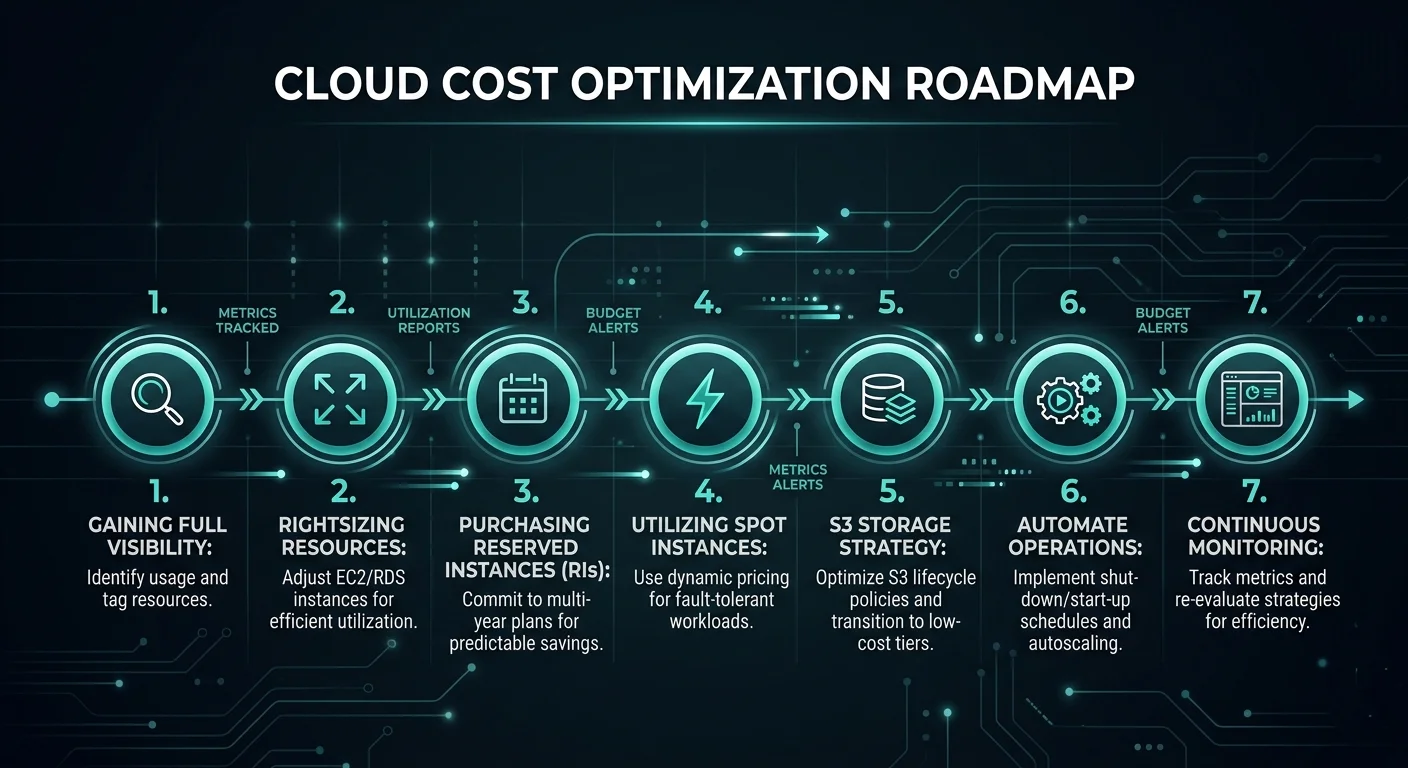
1. Start With Full Cost Visibility
You cannot fix what you cannot see. Before touching a single resource, get a clear, consolidated picture of your entire AWS spend.
Use these native AWS tools to build that visibility:
- AWS Cost Explorer — Analyze up to 13 months of spending trends, filter by service, region, tag, or account, and forecast the next 12 months
- AWS Budgets — Set thresholds and get notified before you overspend, not after
- AWS Cost Anomaly Detection — Catch irregular spikes automatically before they compound across a billing cycle
- AWS Trusted Advisor — Get specific rightsizing and idle resource recommendations based on your actual usage data
The goal at this stage is not to make cuts. It is to understand exactly what you are paying for, who is generating the spend, and where the biggest opportunities are hiding.
2. Right-Size Your EC2 Instances and Databases
Rightsizing is consistently the highest-impact optimization for most AWS environments. It means looking at what your resources are actually doing versus what they are theoretically capable of — and closing that gap.
A practical rightsizing process looks like this:
- Pull CPU, memory, and network utilization data from AWS CloudWatch over a 14 to 30-day window
- Run AWS Compute Optimizer to get instance-specific recommendations
- Identify any instance running below 40% average CPU utilization — these are your primary candidates
- Downsize or switch instance families (for example, from m5.xlarge to m5.large, or migrate to AWS Graviton processors which deliver up to 40% better price-performance than comparable x86 options)
- For RDS databases, evaluate whether you are using Provisioned IOPS when General Purpose SSD would perform equally well for your actual query patterns
Important: always test downsized instances in a staging environment first. The goal is matching capacity to real demand — not cutting so aggressively that you introduce latency or instability.
3. Commit to Reserved Instances and Savings Plans for Predictable Workloads
On-demand pricing is flexible, but you pay a significant premium for that flexibility. For workloads with consistent, predictable usage — production servers, core databases, always-on services — Reserved Instances and Savings Plans can reduce costs by up to 72% compared to on-demand rates.
Here is a simple breakdown of when to use each:
| Pricing Model | Best For | Discount vs On-Demand |
| On-Demand | Unpredictable or short-term workloads | Baseline |
| Savings Plans (Compute) | Flexible compute across EC2, Lambda, Fargate | Up to 66% |
| Reserved Instances (1-year) | Steady-state workloads, known instance types | Up to 40% |
| Reserved Instances (3-year) | Long-term stable workloads | Up to 72% |
| Spot Instances | Fault-tolerant, interruptible batch workloads | Up to 90% |
The smartest approach is a hybrid model — cover your predictable baseline with Reserved Instances or Savings Plans, and handle variable demand with on-demand or Spot Instances. Committing to 100% coverage using reservations is rarely optimal because workloads evolve over time.
4. Use Spot Instances for Fault-Tolerant Workloads
Spot Instances give you access to spare EC2 capacity at discounts of up to 90% compared to on-demand pricing. The tradeoff is that AWS can reclaim them with short notice when that capacity is needed elsewhere.
That makes them ideal for:
- Batch processing and data pipeline jobs
- Machine learning training workloads
- CI/CD build environments
- Development and testing environments
- Any stateless, horizontally scalable application
The key to using Spot Instances safely is building in proper interruption handling — designing your workloads to checkpoint progress, spin up replacements automatically, and fail over gracefully when an instance is reclaimed. Without that architecture in place, Spot Instances can create reliability headaches that cost more in engineering time than they save on the bill.
5. Optimize Your Storage Strategy
Storage costs compound in ways that catch teams off guard. A petabyte of data on Amazon S3 Standard costs approximately $23,000 per month. Move that same data to S3 Glacier Deep Archive for data that is rarely accessed, and the cost drops to around $1,000 per month — nearly a 96% reduction.
A practical storage optimization approach:
- Enable S3 Intelligent-Tiering — Automatically moves data between storage classes based on access patterns with no retrieval fees and no minimum duration requirements
- Set lifecycle policies — Automatically transition infrequently accessed data to S3 Glacier or Glacier Deep Archive after defined periods
- Audit EBS volumes — Delete unattached volumes and unnecessary snapshots; these zombie resources often represent 5–10% of a cloud bill
- Use General Purpose SSD (gp3) instead of gp2 — gp3 offers 20% lower cost with better baseline performance
- Review RDS storage — Stop using Provisioned IOPS unless your workload genuinely requires guaranteed IOPS; switch to gp3 for most database use cases
6. Automate Non-Production Environment Shutdowns
Development, staging, and QA environments do not need to run 24 hours a day, 7 days a week. Yet in most organizations, they do — because no one has set up automated scheduling to turn them off.
Using the Instance Scheduler on AWS, you can configure EC2 and RDS instances to stop automatically during off-hours and weekends. If your team works 8-hour days, five days a week, you are looking at roughly 128 non-working hours per week. For a development environment running $5,000 per month in compute, that automated scheduling alone can reduce those costs by 60–70%.
This is one of the fastest, lowest-risk optimizations you can implement. It requires no architectural changes and no performance trade-offs — just a scheduling policy applied to non-production resources.
7. Implement FinOps Governance and Continuous Monitoring
The single biggest reason AWS cost optimization efforts fail is that they are treated as a project rather than a practice. Teams run a cleanup sprint, reduce costs by 20%, and then drift back to previous spending levels within two quarters because nothing changed about how decisions are made.
A FinOps governance structure prevents that regression:
- Tagging policy — Every resource tagged by environment, owner, project, and cost center. Without tags, cost attribution is guesswork
- Weekly cost anomaly reviews — 15 minutes reviewing Cost Anomaly Detection alerts and budget status
- Monthly rightsizing reviews — Pull fresh Compute Optimizer recommendations and action the top opportunities
- Quarterly commitment reviews — Evaluate Reserved Instance utilization, assess whether coverage needs to increase or be modified, and review Savings Plans alignment with current workload patterns
- Cost visibility for engineering teams — Developers make better decisions when they can see the cost impact of what they deploy
Organizations that build this governance layer consistently maintain 15–20% waste rates, compared to 35–40% for teams without structured FinOps programs.
AWS Cost Optimization: Quick Reference Table
| Strategy | Effort | Potential Savings | Risk to Performance |
| Right-sizing EC2 & RDS | Medium | 20–35% | Low (if tested first) |
| Reserved Instances / Savings Plans | Low | Up to 72% | None |
| Spot Instances | Medium | Up to 90% | Low (for right workloads) |
| S3 Storage Tiering | Low | 40–96% on storage | None |
| Non-production shutdowns | Low | 60–70% on dev/staging | None |
| Orphaned resource cleanup | Low | 5–10% | None |
| FinOps governance | High (setup) | Sustained 25–30% | None |
What This Looks Like in Practice: A Real-World Example
One of our clients, a technology marketplace running on AWS, came to us with a monthly AWS bill that had tripled in 18 months. Their engineering team was growing, their product was scaling, and no one had revisited the original infrastructure decisions since the early days.
After a full cost and utilization audit, we identified over $80,000 in annualized waste across overprovisioned EC2 instances, idle RDS databases running in three environments, and unattached EBS volumes that had accumulated over two years of development activity.
Within 90 days of implementing rightsizing, Reserved Instance commitments, and automated non-production shutdowns, their monthly AWS spend dropped by 38% — with zero impact on application performance or uptime.
That is not a theoretical outcome. It is what disciplined, systematic cost optimization actually produces.
2026 Trends: Where AWS Cost Optimization Is Heading
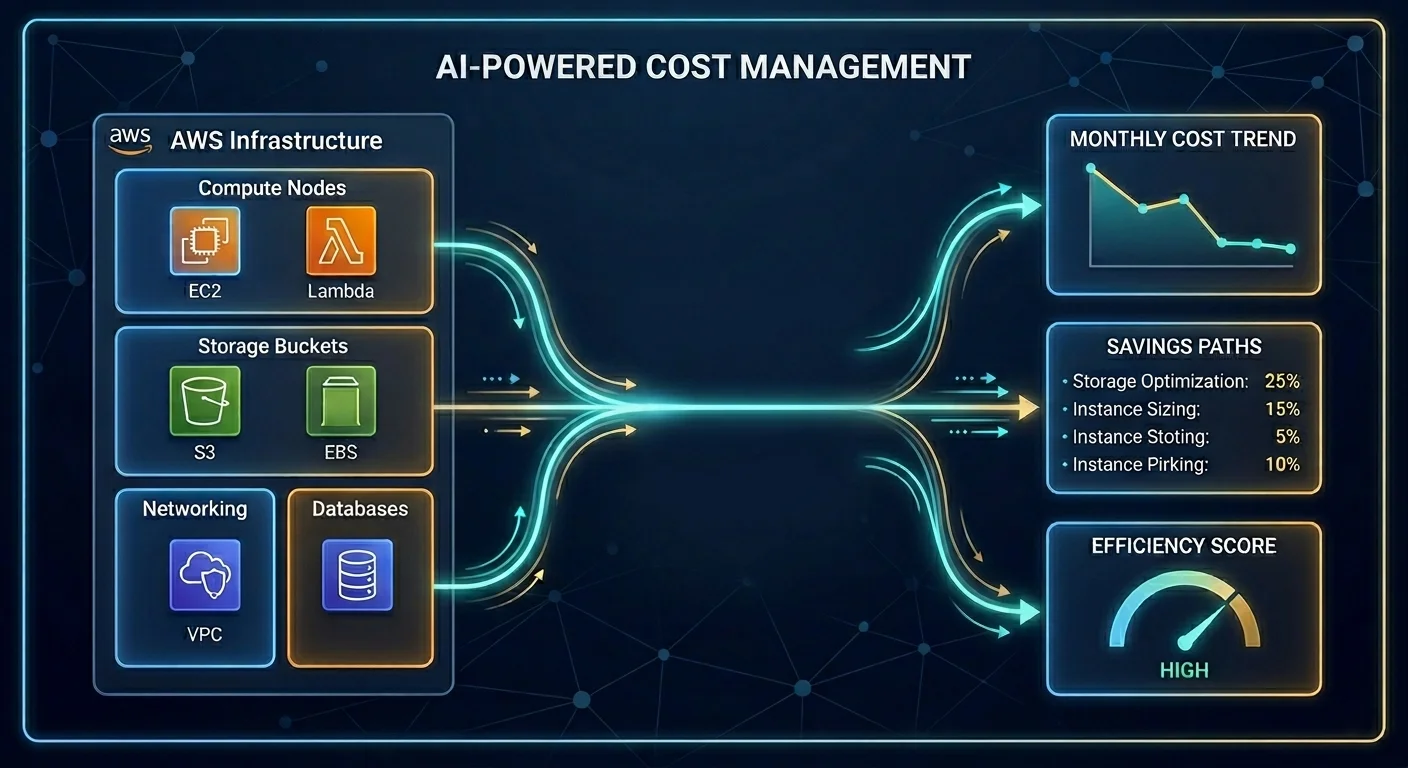
The discipline is evolving quickly. A few developments worth watching:
- AI/ML workload cost management is becoming a priority as GPU-heavy workloads push bills into new territory. The focus is shifting from “which model is cheapest per token” to understanding cost per business outcome at a granular level
- AWS Graviton adoption is accelerating — Graviton4 processors now deliver up to 40% better price-performance than x86 alternatives, and migrating eligible workloads is increasingly a standard optimization step
- FinOps maturity is rising — 67% of organizations now have a formal FinOps practice, with the most mature teams embedding cost accountability into development workflows rather than treating it as a finance-only concern
- Resilience-cost tradeoffs are getting more deliberate — 2025’s cloud provider outages reminded teams that optimizing purely for cost without building in redundancy creates a different kind of financial risk when systems fail
The organizations that will win are those treating cloud economics as a design principle, not a retrospective cleanup exercise.
Key Takeaways
- AWS cost optimization is not about cutting performance — it is about eliminating waste and choosing the right pricing models for each workload type
- The average organization wastes 32% of its AWS budget; most of that waste is addressable without any architectural overhaul
- The highest-impact strategies are rightsizing, Reserved Instances and Savings Plans, and automated non-production shutdowns — all achievable within 30–90 days
- FinOps governance is what makes savings sustainable; without it, costs drift back within quarters
- In 2026, AI/ML workload costs and Graviton migration are the emerging optimization priorities beyond the fundamentals
Frequently Asked Questions
1. What is the fastest way to reduce AWS costs?
The fastest wins come from automating non-production environment shutdowns and cleaning up orphaned resources like unattached EBS volumes and old snapshots. These changes typically take days to implement and carry zero risk to production performance.
2. Can I reduce AWS costs without downtime?
Yes. Rightsizing, storage tiering, scheduling automation, and pricing model changes can all be implemented without production downtime when planned properly. Rightsizing should always be tested in staging first.
3. What is the difference between Reserved Instances and Savings Plans?
Reserved Instances lock you into a specific instance type, size, and region in exchange for up to 72% discount. Savings Plans are more flexible — they apply a discount rate across compute usage regardless of instance family or region, making them easier to manage for organizations with evolving workload patterns.
4. How much can a business realistically save on AWS?
Organizations implementing structured FinOps programs typically achieve 25–35% reductions in monthly spend. Teams that address rightsizing, commitment coverage, and storage optimization in combination often see 40% or more in the first year.
5. What AWS tools should I start with?
Start with AWS Cost Explorer for visibility, AWS Budgets for alerting, AWS Compute Optimizer for rightsizing recommendations, and AWS Trusted Advisor for a broad audit of idle and underutilized resources. These four tools give you a clear starting picture at no additional cost.
6. Do I need a third-party tool to optimize AWS costs?
Not necessarily. AWS native tools handle the fundamentals well. Third-party platforms become valuable when you need cross-account visibility, advanced cost attribution to teams and products, or automated optimization at scale that goes beyond what native tools support.
7. How often should we review AWS costs?
Weekly reviews of anomalies and budget status. Monthly reviews of rightsizing recommendations. Quarterly reviews of commitment coverage and Reserved Instance utilization. This cadence keeps optimization active without consuming excessive engineering time.